
 Campus Wireless Network
UM Wireless Campus
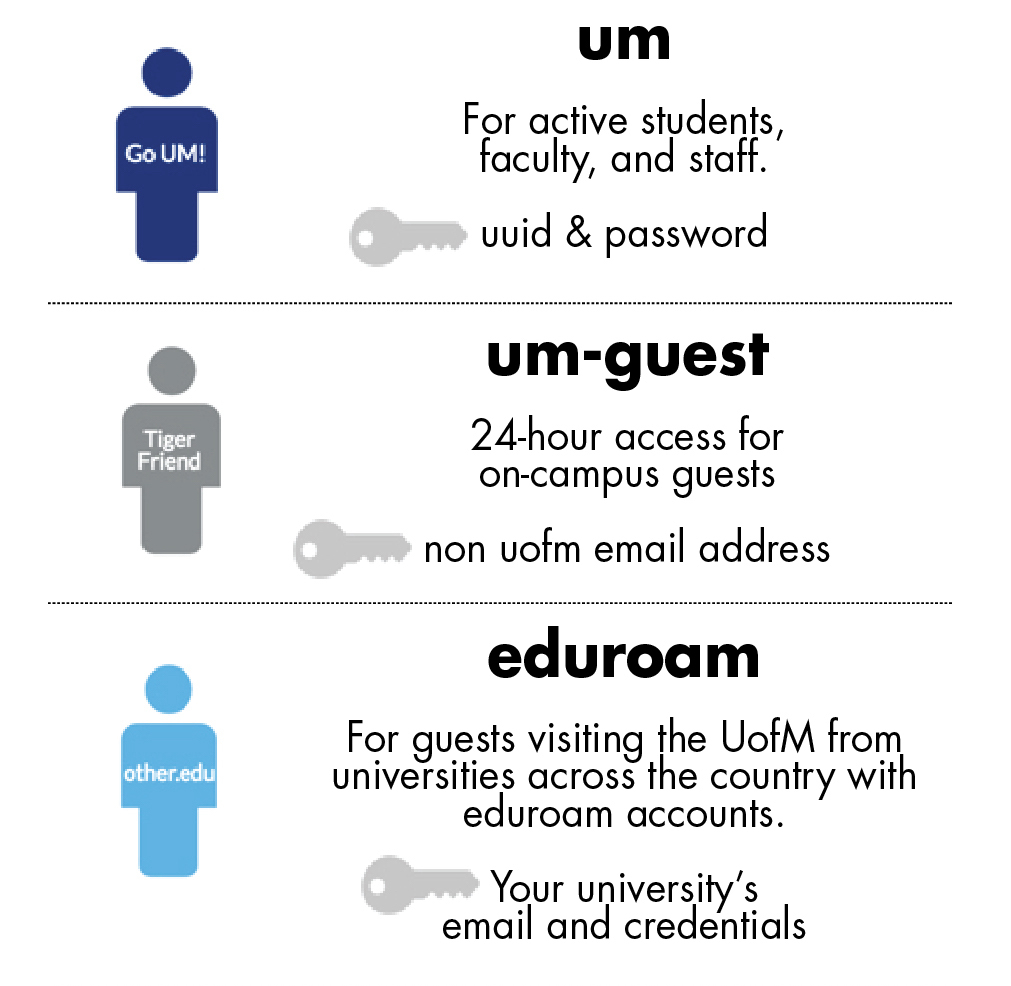
The campus wireless network provides all the computing services that the wired network does. It offers the same fast and reliable data connection speeds. It provides all the computing services with the same fast, reliable data connection as the wired network. All University of Memphis students, faculty, and staff with a UUID and password can log into the um wireless network.
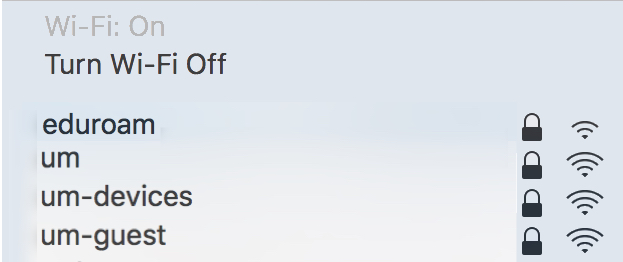
What Will I See?
Who can use It?
 = how to access
ResNet, Shirley C. Raines Centennial Place Room 135
Departments, contact your LSP.
Training Videos for using umWireless, umguest, and eduroam
Wireless Documentation
NOTE: If you have recently changed your password or have signed into um-guest, you will need to forget and re-add all UoM wireless networks on all your devices. After forgetting your network, turn your wireless off, then turn it back on. Be sure your clock and calendar are set to the correct time and date.
See our list below for complete documentation on connecting to the wireless network.
Infographics for Forgetting Networks
See Our Full Documentation
Infographics
 Mac OS/IOS
um Wireless | Infographic
um-guest Wireless | Infographic
new um-guest Wireless | Infographic
eduroam Wireless | Infographic
 Windows OS 10
um Wireless | Infographic
um-guest Wireless | Infographic
new um-guest Wireless | Infographic
eduroam Wireless | Infographic

new um-guest Wireless | Infographic
Having Trouble?
ITS is committed to making this change as seamless as possible. Feel free to contact ITS by email at umtech@memphis.edu or call the ITS Service Desk (901.678.8888) any day of the week! (Excluding Some Holidays) You can contact the Service Desk for assistance with technical login problems or issues. Incoming calls after hours will be handled by voicemail services. If you require assistance after 8:00 pm, please leave a message or submit an online service request.